

You publish a post, search Google for its exact title, and nothing comes up. Two days later, still nothing. Google doesn’t read your site every hour, and a new page can take a while to get into its index even when there’s nothing wrong with it.
Search Console has a tool for this called URL Inspection. It tells you whether Google already knows a page, and it lets you ask Google to look at it before its turn comes. I tried it on November 17, 2026, with a post I had just published on this blog.
You need your site added to Search Console first. My guide on setting up Search Console is only in Spanish for now, but the screenshots follow the same steps.
Steps to request indexing
- Open Search Console and pick your property.
- Paste the full address of the post into the bar at the top, the one that says Inspect any URL. Press Enter.
- Read the result. If it says the URL is not on Google, keep going.
- Click Test live URL and wait. It takes about a minute.
- If the test says the URL is available to Google, click Request indexing.
- Wait another minute or so for the Indexing requested notice, then dismiss it.
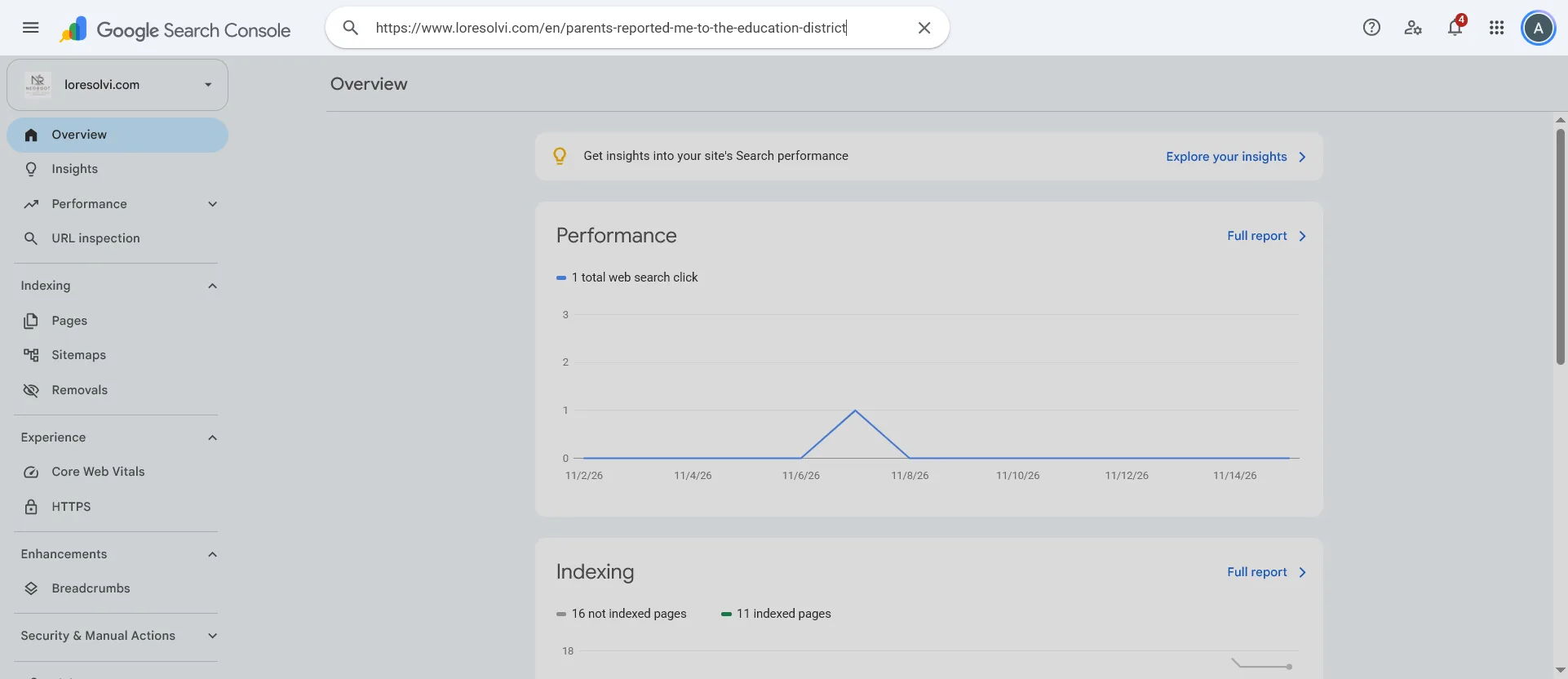
Use the exact address your readers see, with https:// and with www if your site uses it. If you paste an address from another domain, Search Console won’t inspect it.
What each result means
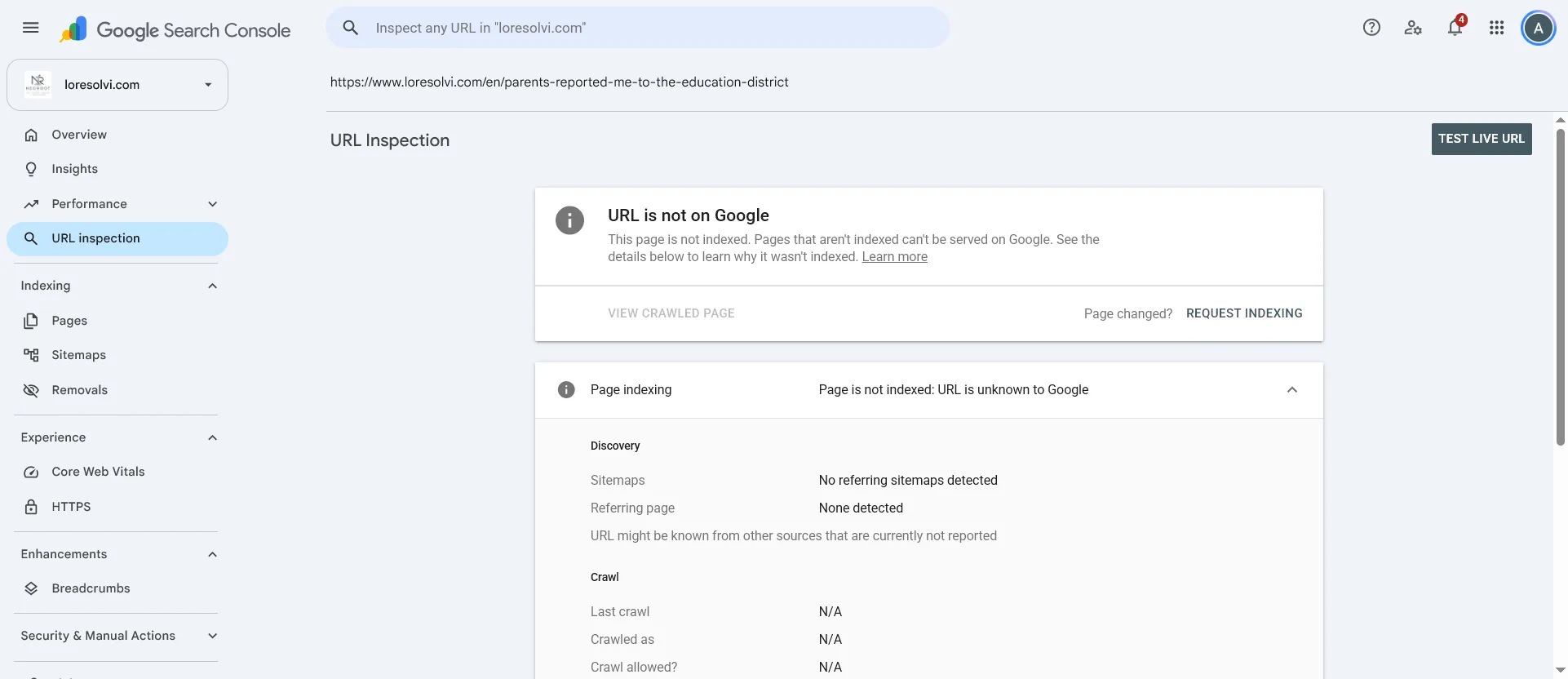
When you see URL is not on Google, Google doesn’t have that page in its index. In my case the details said the URL was unknown to Google. That made sense, because I’d published it that same morning and nobody had seen it yet.
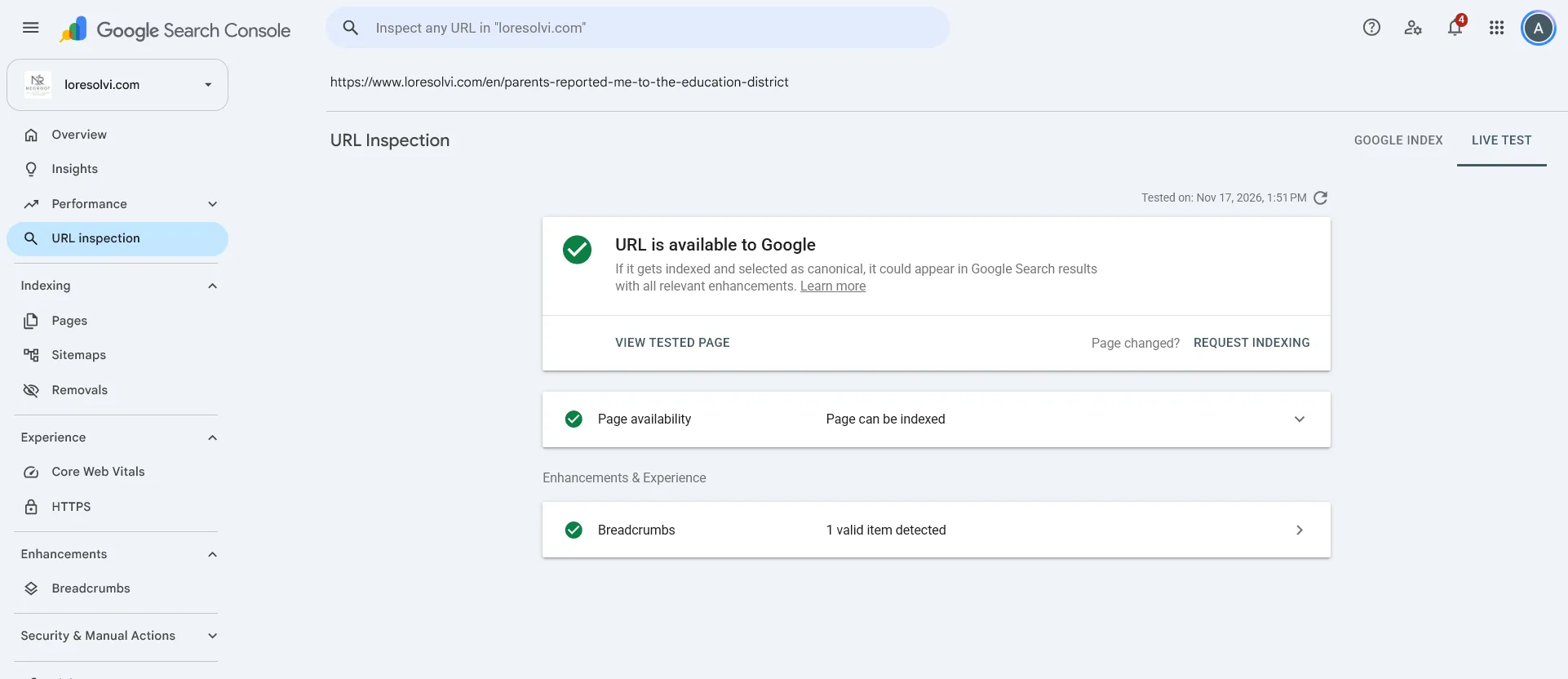
The message URL is available to Google comes from the live test. Google opened the page right then and found nothing stopping it from being indexed. It isn’t in the index yet, but now you can ask.
With URL is on Google, the page is already in the index and can show up in search results. Being indexed doesn’t mean ranking first. It only means Google has it.
If the live test finds a problem, such as a noindex tag or a page that won’t load, Search Console won’t let you request indexing. Fix that first.
The notice after you request it
After you click Request indexing, Search Console checks the page again. First a window says it’s testing if the live URL can be indexed, and warns that it might take a minute or two. Don’t cancel it.
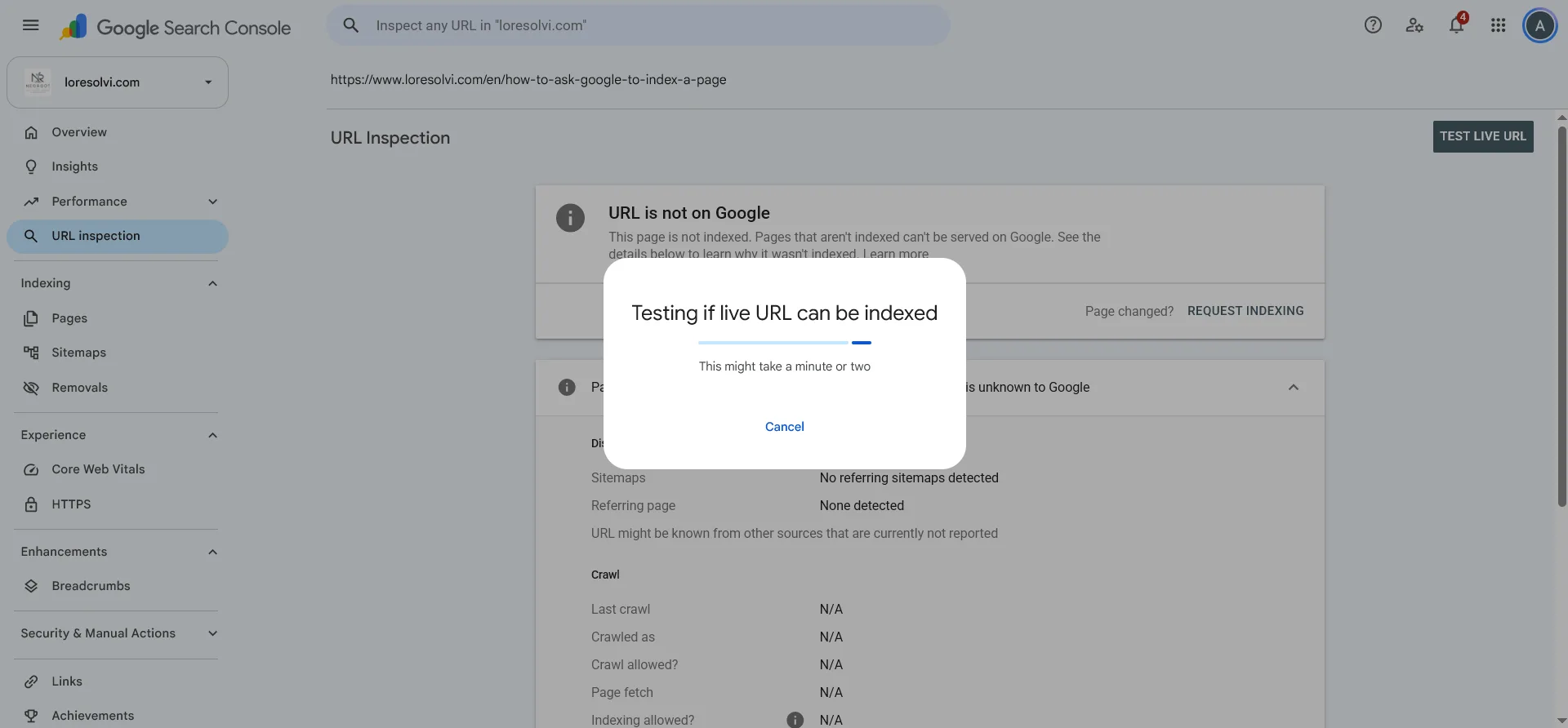
Then a shorter one appears while the request is sent, and right after that the notice.
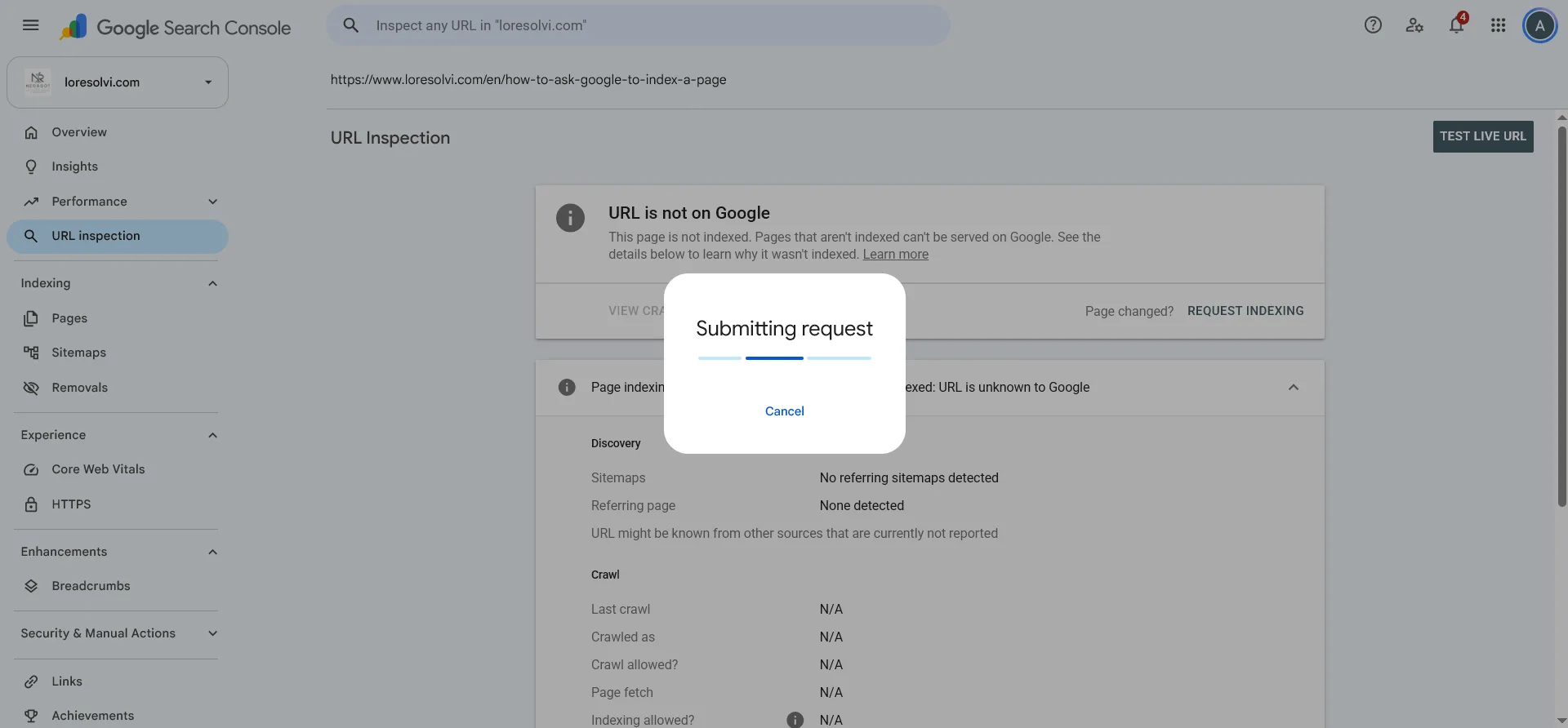
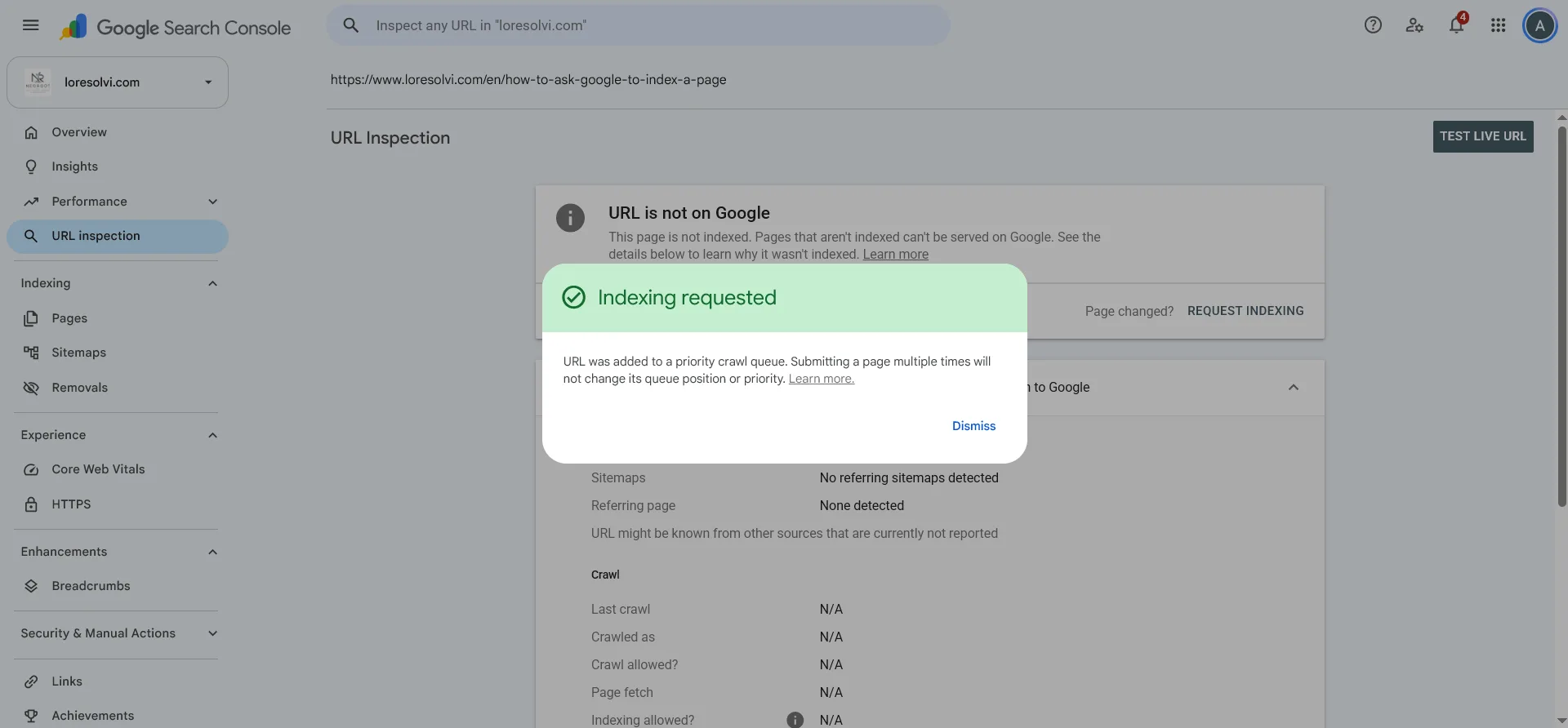
The notice says the URL was added to a priority crawl queue and that submitting it several times won’t change its place in that queue. Asking once is enough.
Clicking the button again the next day won’t speed it up either. Just wait and inspect it again.
How long it took for me
I requested indexing for the Spanish version of the post at about 1:47 PM. Google crawled it at 1:49, and when I inspected it again a few minutes later it said the URL was on Google. The English version went the same way, in about three minutes.
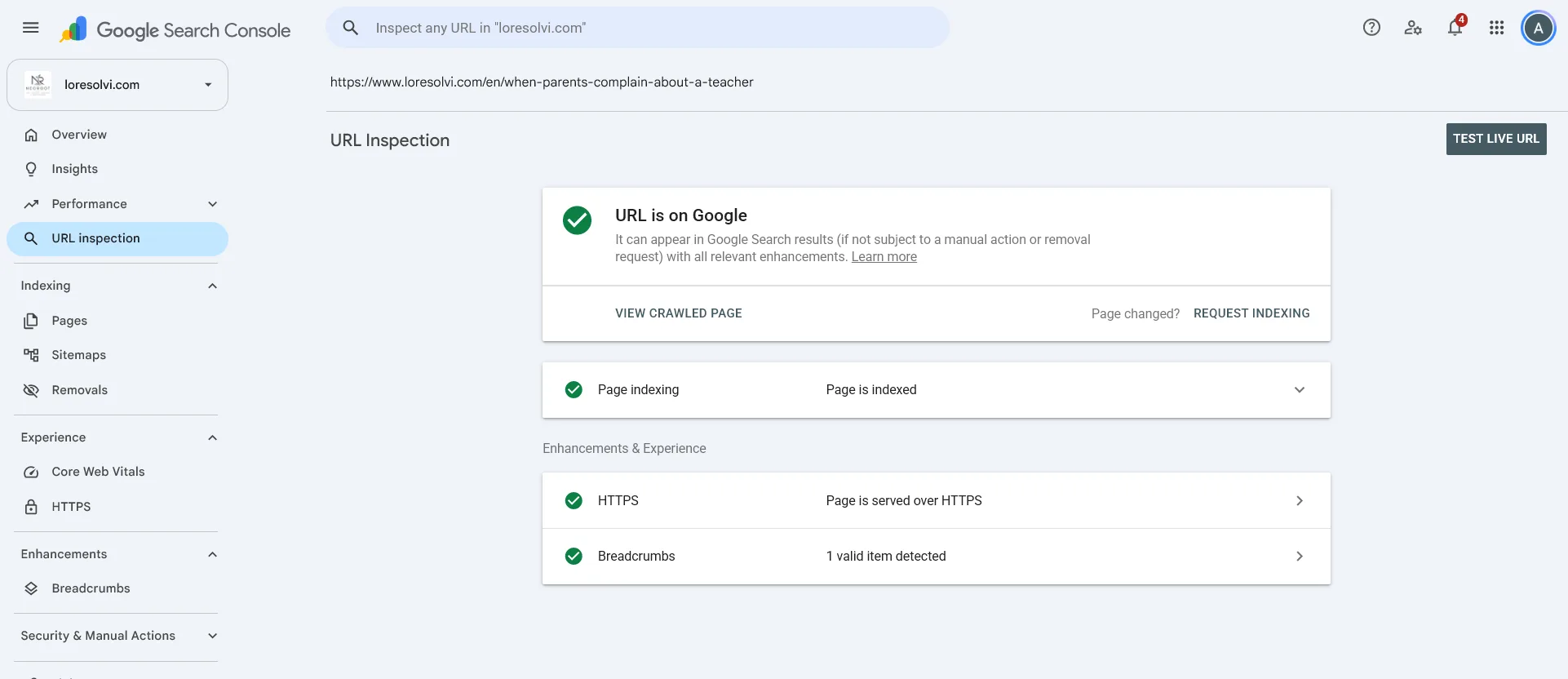
Don’t take that as the rule. Google’s help page says it usually takes about a day, and sometimes much longer. My blog is small and I only asked for a couple of pages. An earlier post that I never submitted by hand was crawled on its own two days after I published it.
If you open Page indexing in the result, you’ll see the date and time of the last crawl. That tells you whether Google has visited your page yet.
Worth knowing
There’s a daily limit on requests per property, and Google doesn’t publish the exact number. Use it for new pages or posts you changed a lot, not for your whole site.
Requesting indexing doesn’t guarantee the page gets in, because in the end Google decides. If a page is very similar to another one or has little content, it can stay out even if you ask.
For lots of pages at once, the sitemap is what works. I explain it in how to submit a sitemap in Search Console, also in Spanish for now. Once your sitemap is submitted, Google finds new pages on its own. A manual request only speeds up the ones you care about most.
Common questions
How many times a day can I request it? Google doesn’t say exactly, but there is a daily limit per property, and Search Console tells you when you hit it. A blog that publishes two or three posts a week won’t get close.
Does requesting it twice help? No need, because the notice itself says that submitting the same page several times doesn’t change its place in the queue. Wait a day and inspect it again.
What about Bing? Bing doesn’t use Search Console. It has its own dashboard, Bing Webmaster Tools, and it also accepts pings through IndexNow. I use IndexNow every time I publish something on this blog, and I walk through it in how to import your site into Bing and ping it with IndexNow.
Comments
Write a comment