

One day an email lands with a scary subject. Critical security patch update, apply it as soon as possible. A bit later a tool warns you that your database no longer has full support, and another says your project has nine high severity vulnerabilities. It’s easy to panic or, more often, to ignore all of it.
All of that happened to me on the night of November 17, 2026, with the server that runs this blog and some of my other projects. It’s an Oracle Cloud machine with Ubuntu and several Docker containers. Here’s what I checked, in what order, and what I decided not to touch, with the commands I used. No screenshots needed, it all happens in the terminal.
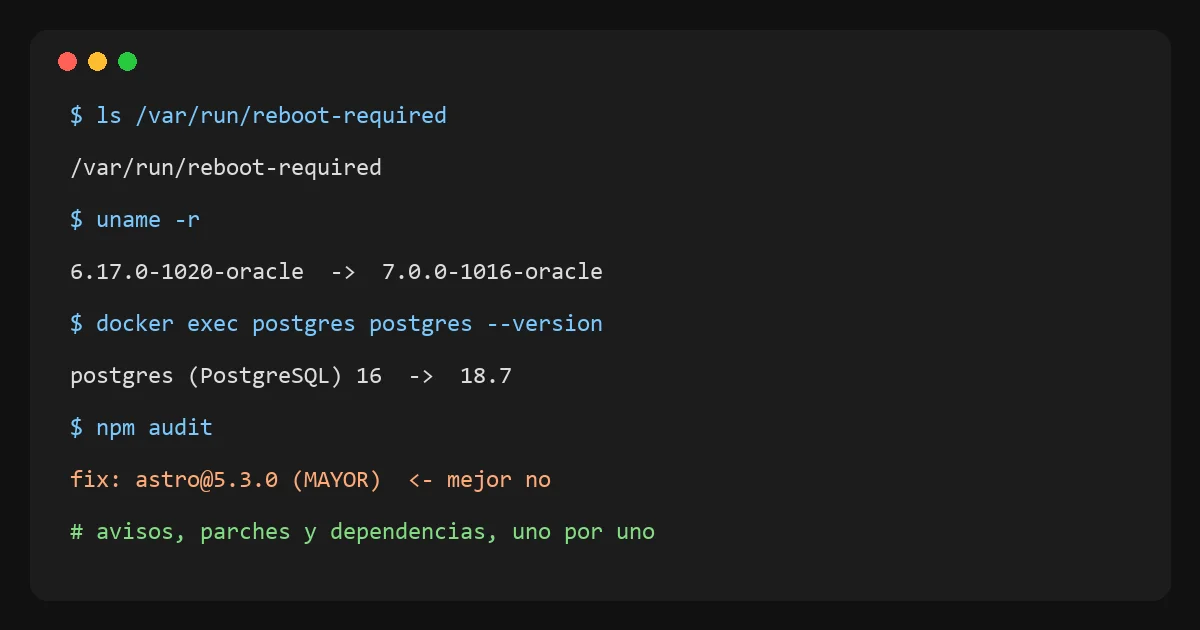
First, is the notice for you?
The email came from Oracle and was about their monthly patch update. Before touching anything, the question is which software that notice covers. That bulletin is for Oracle’s own products, like their database or Java. And it says something important, that if you manage the machine yourself, applying patches is your job.
There’s no Oracle software on my server. I checked by searching the installed packages.
dpkg -l | grep -iE "oracle|java|jdk|mysql"The only results were the kernel packages Oracle Cloud provides for its machines. So that particular notice didn’t affect me, but it was a good excuse to check what is my job, which is Ubuntu.
Ubuntu security updates
Ubuntu comes with a service that installs security updates on its own, called unattended-upgrades. The first step is to see whether it’s on and whether it’s actually installing anything.
systemctl is-active unattended-upgrades
cat /etc/apt/apt.conf.d/20auto-upgrades
tail -3 /var/log/unattended-upgrades/unattended-upgrades.log
The service was active, the config had both lines set to 1, and the log said it had installed updates that same morning without errors. To see what’s left to update I use apt list --upgradable. There were 20 packages, none of them security updates, so those could wait.
The pending reboot
This was the only thing that really needed attention. When Ubuntu updates the kernel or a core library like libc6, the update gets installed but isn’t used until you reboot. Ubuntu flags it with a file.
ls /var/run/reboot-required
cat /var/run/reboot-required.pkgs
uname -r
The file was there, it listed the new kernel and libc6, and uname -r showed the old kernel still running. The server had been up for three weeks. It’s the classic patch that’s on the disk but isn’t protecting anything yet.
Rebooting without fear
Rebooting a server with several projects on it is a bit nerve-racking. What matters most is knowing whether each service comes back on its own. In Docker that depends on each container’s restart policy.
docker ps -q | xargs docker inspect --format "{{.Name}} {{.HostConfig.RestartPolicy.Name}}"
systemctl is-enabled docker
All 12 of my containers had always or unless-stopped, and Docker starts with the system. With that, I rebooted with sudo systemctl reboot. A few seconds later everything was up, the containers with health checks were healthy, and uname -r showed the 7.0 kernel. The pending reboot file was gone.
Then I tested each service from outside, because a container saying Up doesn’t guarantee it answers. A curl to each address and a look at the status code is enough.
The database that wanted a new version
The other notice came from n8n, telling me Postgres 16 now only gets compatibility support. Moving to a new major version of Postgres isn’t like updating a package. Version 18 can’t open version 16’s data directly, you have to move it.
I picked the simplest path and the easiest to undo, which is to dump everything to a file and load it into the new version. My database is small, about 45 MB across three databases, so it takes seconds.
- I stopped the three projects that write to that database, so nothing changed in the middle of the copy.
- I took a full backup with
docker exec postgres pg_dumpall -U user > backup.sqland set its permissions to 600, because it includes the users. - I stopped Postgres, renamed the data folder to
data16and kept a copy of the old config. - I switched the image to
postgres:18-alpineand started it with a new data folder. - I loaded the backup with
psql -U user -d postgres < backup.sql.
One catch with version 18. The official image now stores data in a subfolder named after the version, and the volume has to be mounted at /var/lib/postgresql, not /var/lib/postgresql/data like before. If you copy the old config as is, it won’t start.
Loading the backup produced two errors, that the user and one database already existed. Those are normal, because the image creates them on first start. Any other error would have been worth worrying about.
Making sure nothing was lost
I didn’t trust the lack of errors alone. I started a temporary Postgres 16 on the old folder and counted the rows of every table in both versions. To avoid fighting with quotes in the terminal, I put the query in a file.
SELECT n.nspname || '.' || c.relname || '=' ||
  (xpath('/row/c/text()', query_to_xml(format('select count(*) as c from %I.%I', n.nspname, c.relname), false, true, '')))[1]::text
FROM pg_class c JOIN pg_namespace n ON n.oid = c.relnamespace
WHERE c.relkind = 'r' AND n.nspname NOT IN ('pg_catalog', 'information_schema')
ORDER BY 1;
All three databases gave exactly the same numbers. Only then did I start the projects again, check their logs, and n8n stopped showing the version warning.
I wrote down how to roll back. The data16 folder and the old config are still there, so restoring that file and starting the container is enough. I’ll delete them in a few weeks, once I’m sure everything is fine.
My projects’ dependencies
The third notice came from npm audit on this blog. Nine high severity vulnerabilities sounds serious, so I looked at where they came from before doing anything.
npm outdated
npm audit --omit=dev
npm outdated showed Astro had a new minor release, from 7.4.5 to 7.4.12. Updates within the same major version are safe, and npm update applies them without leaving the range in package.json. I built the site and ran the type check with zero errors.
The npm audit notices, on the other hand, all came from a single library, picomatch, with a ReDoS issue. That’s a way to make a program spin for a long time on a crafted piece of text. The fixed version didn’t exist yet, and npm’s suggested fix was to downgrade Astro to 5.3 with npm audit fix --force. That’s worse than the problem.
To decide, I asked myself who could exploit it. Picomatch runs at build time, matching files against patterns I write myself. My blog is static, nobody outside sends it patterns. The real risk is close to zero, so I didn’t force anything and I’ll check again when the fixed version comes out.
My checklist for next time
- Read the notice and check whether it covers anything I have installed.
- Make sure automatic security updates work and look at their log.
- Look for
/var/run/reboot-requiredand reboot at a quiet time, after checking restart policies. - Test each service from outside after the reboot.
- For major version changes, a full backup, a copy I can roll back to, and a data comparison.
- With
npm audit, see where each notice comes from and don’t use--forcewithout understanding what it changes.
What went through my head while I did it
While the server was rebooting and the database was changing versions, these doubts came up. Here’s each one with what I checked.
What if the database gets damaged? Before touching anything I took a full backup, and the version 16 folder stayed intact under another name. Afterwards I counted the rows of every table in both versions and they matched. If something had failed, rolling back meant swapping one file and starting it again.
What if Docker breaks on reboot? Docker starts with the system and each container has its restart policy. I checked that before rebooting. A few seconds later all 12 were up and the ones with health checks were healthy.
Do my other live projects go down? Yes, during the reboot everything on that server stops for about a minute. For the Postgres change I only stopped the three projects that use it, and they were down for about three minutes. That’s why I did it at night, and I tested each one from outside afterwards.
What happens to the app’s real-time sync? I checked how it’s built. Libreta Simple’s real-time service has no database and never receives the notebook data, it only signals that something changed. If it goes down, the app keeps syncing through push notifications and batches, with no visible errors. It doesn’t use Postgres either, so the version change didn’t touch it.
What if someone is logging in or switching phones right then? Whatever depends on that server fails for that minute, and the app has to try again. Things that live in other services, like the notebook data, don’t go through it. That’s the reason to reboot at a time when almost nobody uses the apps, and not to do it without warning.
Do the Elixir APIs come back on their own? Yes. The comments API, the teachers API and the real-time one started with the system. The teachers API, which does use Postgres, I started again after the change, and its log showed no connection errors.
Didn’t the Astro update break the blog? I built the site, ran the type check with zero errors, and the checker I run before publishing went through every page in production. TypeScript had a new major version, 7, and I left that one alone, because a major version can change things and deserves its own day.
Other common questions
How often should I check this? Ubuntu installs security updates on its own every day. What I check by hand, roughly once a month, is whether a reboot is pending and what the tools’ warnings say.
Why not upgrade Postgres in the same folder? Because the data format changes between major versions. There’s a tool to do it in place, pg_upgrade, but with a small database dumping and loading is simpler and leaves the old version intact in case something goes wrong.
So should I ignore npm audit? No. I read the notices one by one. If the issue affects something that runs in the reader’s browser or on the server, I fix it as soon as possible. If it only affects the build and nobody outside can exploit it, I wait for the fixed version.
Comments
Write a comment