

An address like contact@yourdomain.com looks better than a Gmail one, and it gives people more confidence when they write to you from your contact page. Paying for an email service just for that makes no sense if you barely get any messages. If your domain is on Cloudflare, you can receive that mail in your usual Gmail for free.
That’s how this blog’s contact address has worked since November 3, 2026. Anything sent to contacto@loresolvi.com shows up in my Gmail. I went through every screen again on November 17, on the Free plan.
What it does and what it doesn’t
Email Routing is forwarding. It takes the mail that arrives at your domain and sends it on to an address you already have, like your Gmail. It isn’t a new inbox, and it can’t send mail from your domain. For that you need a separate sending service.
According to Cloudflare’s documentation, you can have up to 200 destination addresses per account, each rule sends one address to a single destination, and messages over 25 MiB are rejected. For a blog or a small business that’s plenty.
Step 1. Open Email Routing
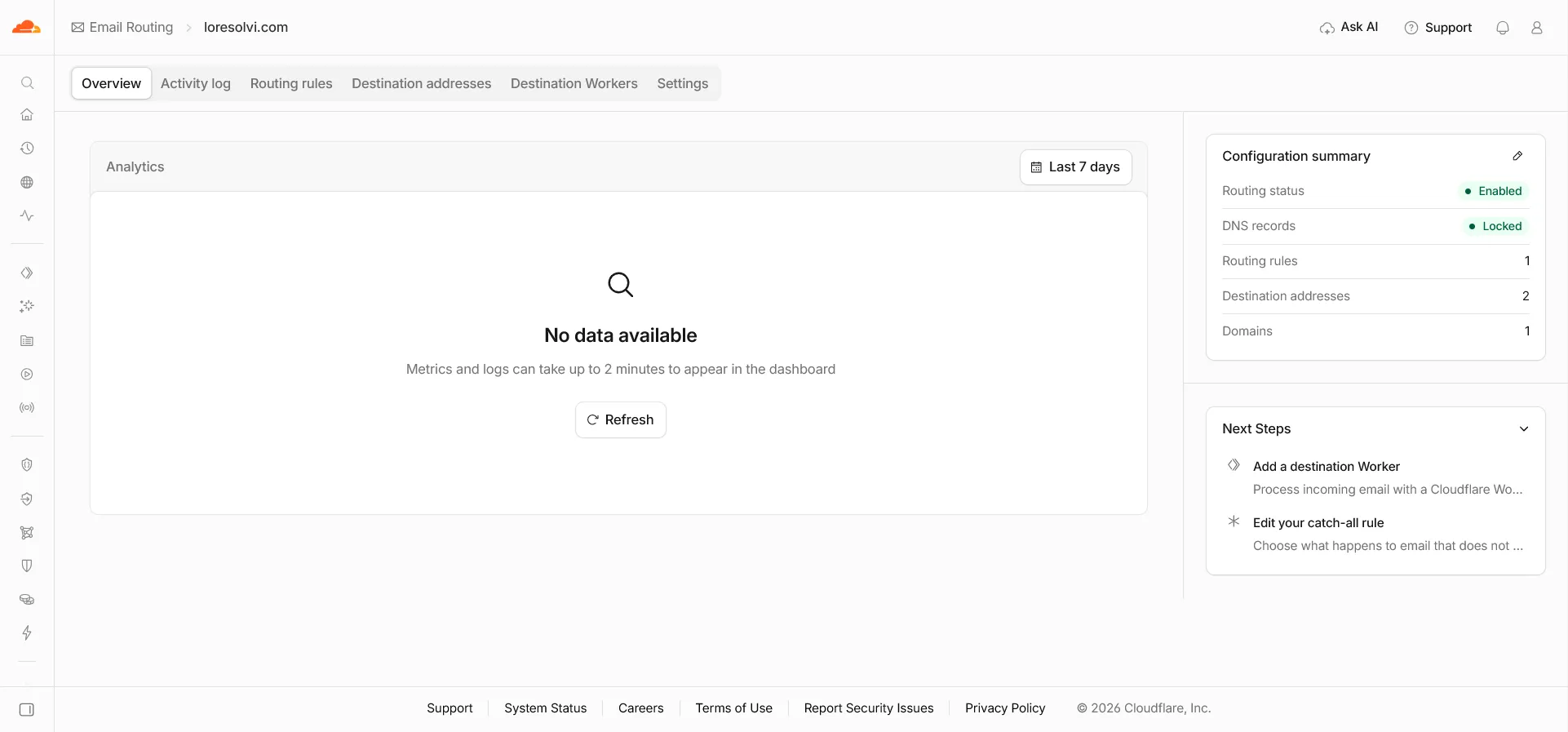
In the Cloudflare dashboard, open your domain and find Email Routing in the menu. At the top you’ll see the Overview, Activity log, Routing rules, Destination addresses and Settings tabs.
The first time, Cloudflare walks you through turning it on. At the end it offers to add the DNS records it needs, and you should accept. On the Overview, the configuration summary should say Enabled for the routing status.
Step 2. Add and verify your destination address
Under Destination addresses, type the address where you want to get the mail and click Add address. Cloudflare sends a message there with a link to verify it. Until you open it, you can’t use it in a rule.
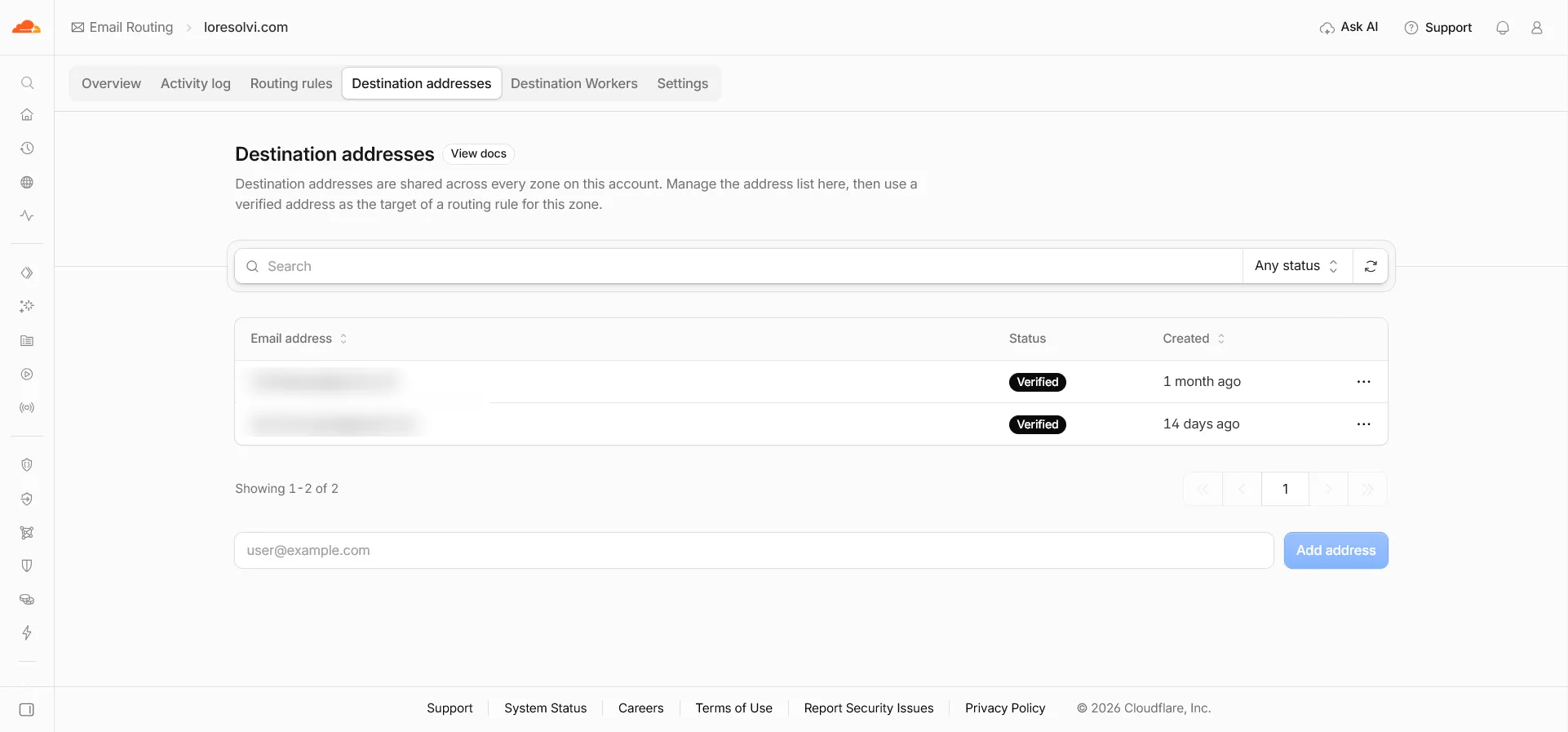
These addresses belong to the account, not to the domain. I have two because I use the same Cloudflare account for another project, and each domain picks which one gets its mail.
Step 3. Create the rule
Under Routing rules, click Create routing rule. Type the custom address, like contact, and as the action choose sending to an email address. Then pick the destination you verified and save.
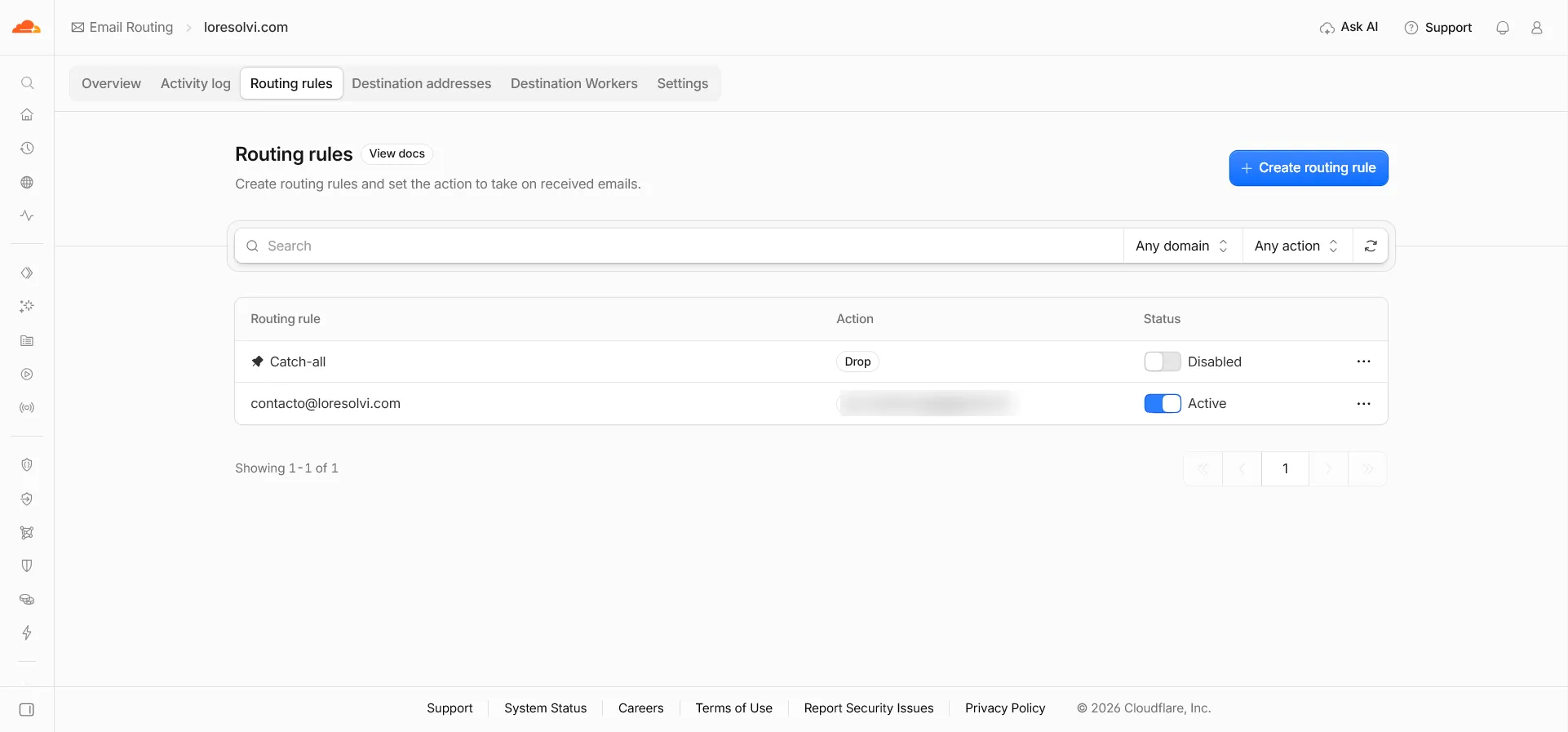
The list also has a rule called Catch-all. It applies to any address on your domain that doesn’t have its own rule. Mine is disabled with the Drop action, so mail to anything@loresolvi.com goes nowhere. If you turn it on to forward, you get everything, including a lot of spam.
To test it, send yourself an email from another account to the new address. It should reach your Gmail within seconds. Check the spam folder the first time.
The DNS records Cloudflare adds
In Settings, the DNS records section shows what Cloudflare added. There are three MX records, which tell other mail servers that your domain’s mail goes to Cloudflare. They show a padlock and the word Locked, because changing them breaks forwarding.
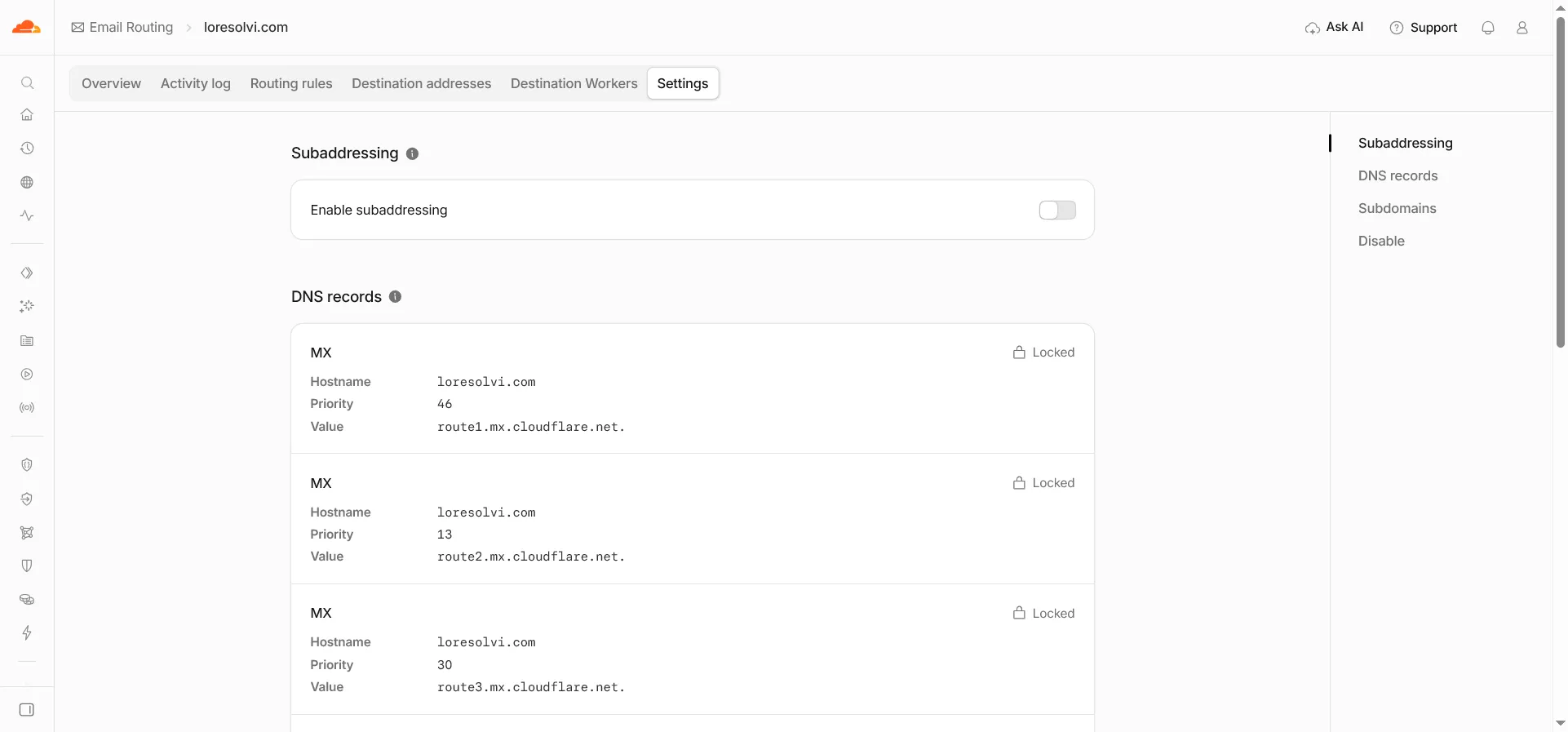
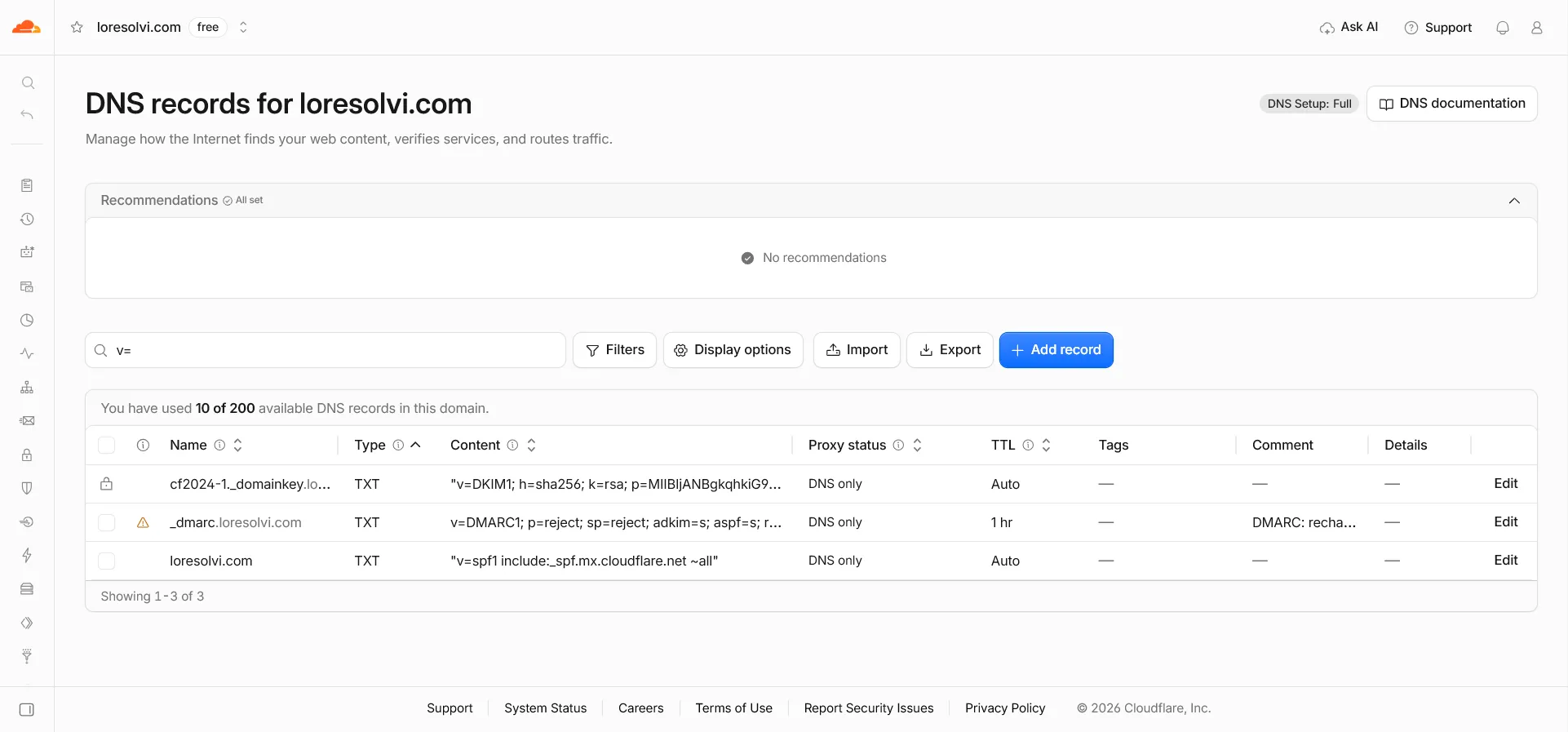
Further down the same list there’s a DKIM TXT record. On the domain’s DNS page, if you search for v=, the three TXT records that matter for email show up together.
SPF, DKIM and DMARC without the jargon
All three exist for the same reason, so nobody can send mail pretending to be your domain. Gmail and the rest check them before letting a message through.
- SPF is the list of servers allowed to send mail for your domain. Mine is
v=spf1 include:_spf.mx.cloudflare.net ~all. Cloudflare adds it so forwarding doesn’t look suspicious. - DKIM is a signature. Cloudflare signs messages and publishes the public key in a TXT record, in my case named
cf2024-1._domainkey. Cloudflare adds this one too. - DMARC says what to do with mail that fails SPF and DKIM. Cloudflare doesn’t add this one. I added it by hand as a TXT record named
_dmarc.
My DMARC is v=DMARC1; p=reject; sp=reject; adkim=s; aspf=s; rua=mailto:contacto@loresolvi.com. The p=reject part asks servers to reject any mail claiming to come from my domain that fails the checks, and sp=reject does the same for subdomains. The rua part is where reports arrive about who tried to use the domain.
I made it this strict because my domain only receives mail, it never sends any. Any message claiming to come from loresolvi.com is fake. If your domain does send, for example through a newsletter service, start with p=none to watch the reports for a few weeks, and add that service to your SPF before tightening it.
If you ever want to send from your domain
Email Routing doesn’t send. To reply as contact@yourdomain you need a sending service, and it will ask you to add its server to your SPF and its own DKIM signature. Do that before sending the first message, because with a strict DMARC like mine those messages would be rejected.
Frequently asked questions
Is it really free? Yes. Email Routing comes with the Free plan, and forwarding to your verified addresses costs nothing.
Can I reply from Gmail as contact@? Not with Email Routing alone. Gmail lets you send as another address, but it needs a sending server for that domain.
What happens if I delete the MX records? Mail stops arriving. That’s why Cloudflare marks them as locked.
Does it work for several addresses? Yes. You create one rule per address, like contact, hello or support, and each one can go to a different destination.
Comments
Write a comment